Online shops selling clothing or footwear who publish a size chart and would like to know, before the returns arrive, which customers it fails.
How it works
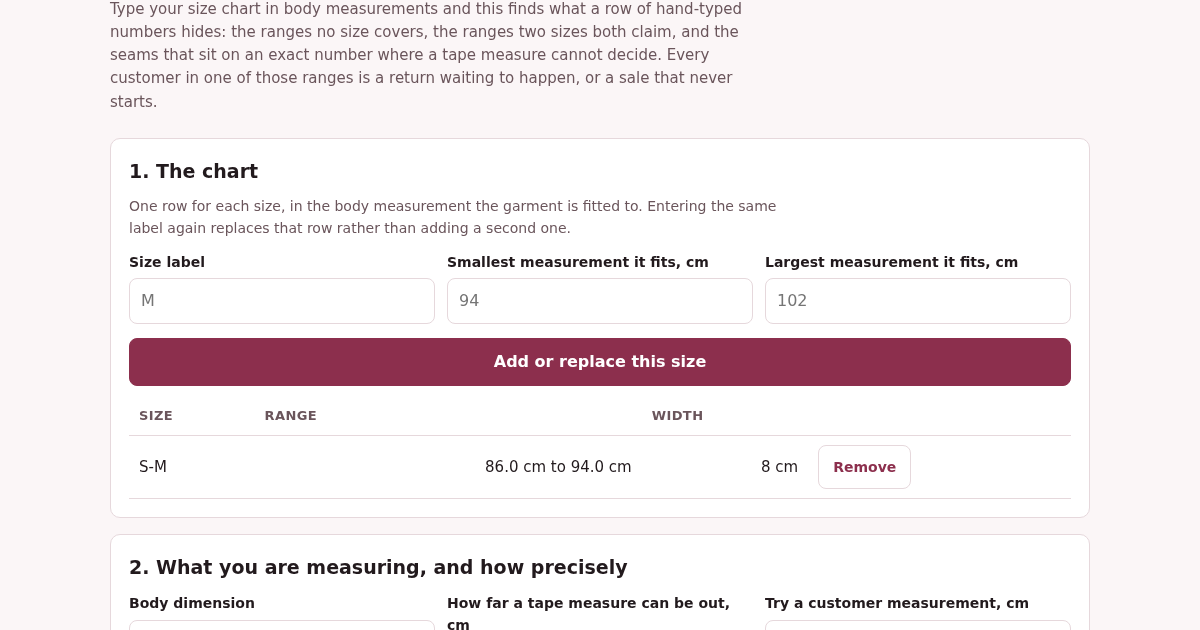
- Type each size as a range in the body measurement the garment is fitted to.
- Say what body dimension it is and how far your tape measure can be out.
- Read the coverage: the span, what is covered, what is not, and how much of it is a coin toss.
- Try a customer measurement and see whether the chart gives one answer, several, or none.
What you gain
- Encuentra las tallas donde tu tabla de medidas no cubre a nadie o cubre a dos tallas a la vez — los dos motivos más comunes por los que un cliente pide la talla equivocada y la devuelve.
Screenshot
Technical details
How to set up & use
- Buy the license — your key (lic_...) appears on the order page and in your email.
- Sign in at app.synoriaai.com with your license key.
- No installation — the product runs in your browser, on your own isolated instance.
- 1. Open the TallaCorrecta page and enter your size chart: for each size, type the label (e.g., S) and the minimum and maximum measurements (e.g., 86 and 94).
- 2. Click 'Add size' to include each size band. Repeat until you've entered all sizes you want to check.
- 3. Review the coverage report: it shows any gaps (measurements no size covers) and overlaps (measurements covered by more than one size), plus the exact range where the customer would be guessing.
- 4. Enter a single customer measurement in the lookup field to see the result: the matching size, multiple sizes if it falls in an overlap, or 'No size fits' if it falls in a gap.
- 5. Adjust your size bands as needed and re-check—the tool recalculates coverage and arithmetic on every render.
Frequently asked questions
What does TallaCorrecta actually tell me about my size chart?
It identifies three things: measurement ranges that no size covers (gaps), ranges covered by more than one size (overlaps), and the exact width of the range where your measuring tolerance makes the customer guess. It also verifies that covered plus uncovered equals the total span, so nothing is double-counted.
Is my size chart data safe?
Yes. All data you enter is processed locally in your browser—nothing is sent to our servers. Your size bands and customer measurements never leave your device.
Does TallaCorrecta suggest new sizes or fix my chart automatically?
No. It only analyzes and reports the gaps, overlaps, and guessing ranges. It does not create new sizes or modify your chart—you decide what changes to make based on the report.
Related products
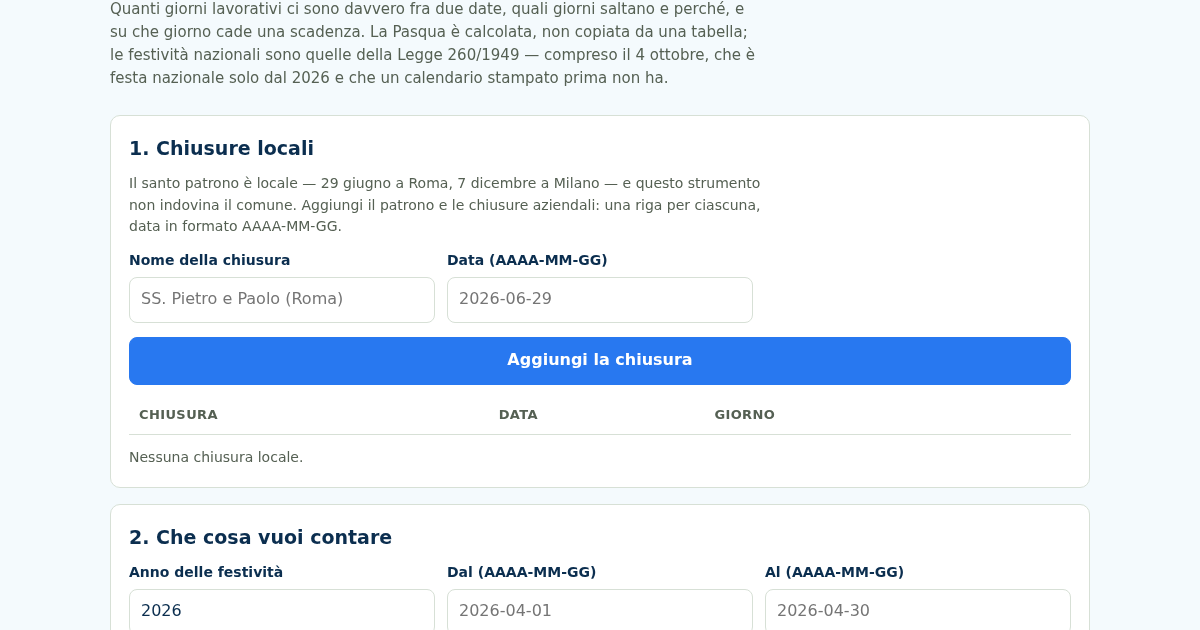
Giorni Utili: Giorni Lavorativi e Festività Italiane
Dal 2026 il 4 ottobre è festa nazionale — la Legge 8 ottobre 2025, n. 151 l'ha aggiunto all'elenco dell'articolo 2 della Legge 260/1949 — e un calendario stampato prima non ce l'ha. Nello stesso 2026 cinque delle dodici…
Giorni Utili: Giorni Lavorativi e Festività Italiane
Dal 2026 il 4 ottobre è festa nazionale — la Legge 8 ottobre 2025, n. 151 l'ha aggiunto all'elenco dell'articolo 2 della Legge 260/1949 — e un calendario stampato prima non ce l'ha. Nello stesso 2026 cinque delle dodici…
Giorni Utili: Giorni Lavorativi e Festività Italiane
Dal 2026 il 4 ottobre è festa nazionale — la Legge 8 ottobre 2025, n. 151 l'ha aggiunto all'elenco dell'articolo 2 della Legge 260/1949 — e un calendario stampato prima non ce l'ha. Nello stesso 2026 cinque delle dodici…
Giorni Utili: Giorni Lavorativi e Festività Italiane
Dal 2026 il 4 ottobre è festa nazionale — la Legge 8 ottobre 2025, n. 151 l'ha aggiunto all'elenco dell'articolo 2 della Legge 260/1949 — e un calendario stampato prima non ce l'ha. Nello stesso 2026 cinque delle dodici…